Product Photo Checklist: Check that the gallery shows the selected variant and verify the written contents before relying on a photo.
Product Photo Checklist: 7 practical checks
Match the variant
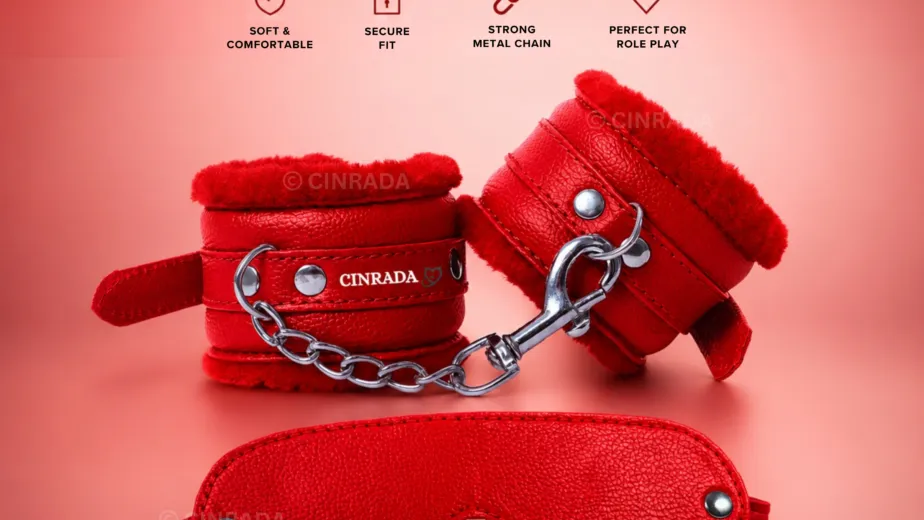
Compare the colour label next to the price with the first gallery image.
Look for scale
A close-up shows texture but rarely tells you the size. Use a marked dimension or ruler photo.
Check the back
An underside photo can show a clasp or seam hidden in the front view.
Identify props
A display tray or box may be there for styling. Check the written contents.
Compare lighting
Look at more than one image before deciding whether a finish is matte or glossy.
Skip repeat angles
A new crop is less useful than a different perspective.
Keep a reference
Save the product link and selected variant before checkout.
Worked example
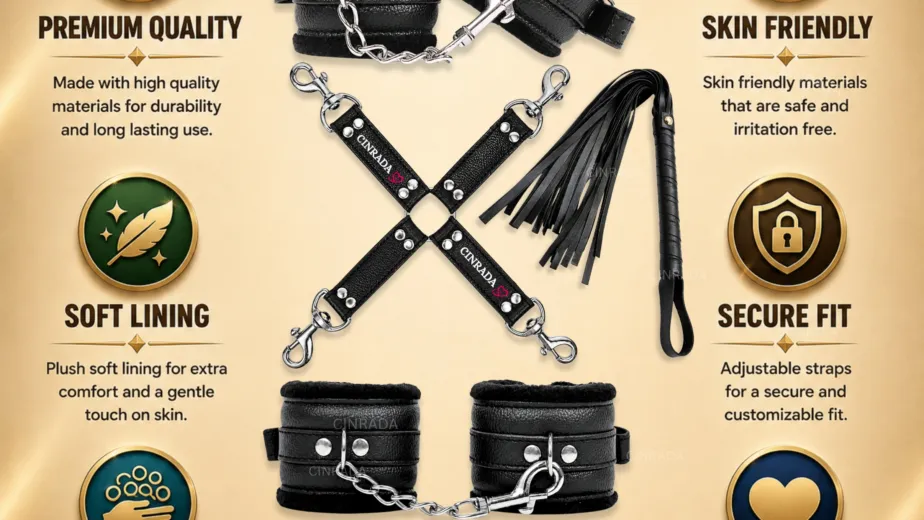
The photo with a single red item and the bundle photo with several colours answer different questions. Use the solo photo to match colour, then check the bundle description to see which pieces are sold together.
Does every object in the photo come in the package?
Use the included-items list. If a photo and the list disagree, ask about the exact product before checkout.
For more information, see CINRADA product listings.
Which photos you still need
Make a shortlist of the features you need to see. For a lined product, that might be the inner surface and edge stitching. For a set, it might be one picture where each piece can be identified separately. Write down which image answers which question so that a gallery with many near-identical photographs does not look more informative than it is.
When the gallery is incomplete, ask for one specific image. For example, request a picture of the back of the selected colour, with the fastening visible. If stock photography is used, the written colour and contents still matter. Save the product link and the selected option together so you can refer back to the exact listing.
You can also ask for a product photo.